Today's effort: Locking Down the DeepSeek Local AI Inference Stack
There is a particular kind of discipline required to build a Linux distribution entirely from source. No package manager catching your mistakes. No upstream maintainer absorbing your dependency hell. No distro-provided defaults softening the edges of your decisions. Every library, every daemon, every PAM module — you chose it, you compiled it, you wired it in yourself. If it breaks, that is on you. If it works, you know exactly why.
SableLinux™ is that kind of project. It began as a Linux From Scratch 12.4-systemd base and has grown, methodically, into a fully operational security research and AI inference platform. This post is a status update on where the project stands today, followed by a detailed walkthrough of an important piece of work we completed this week: a thorough security audit of our local AI inference stack, and the hardening measures we implemented as a result.
What SableLinux Is
SableLinux is not a hobbyist distro experiment. It is a commercial-track product being built toward acquisition. The target audience is advanced users — penetration testers, red teamers, security researchers, and AI engineers who want a system that gets out of their way and gives them the raw capability they need without the overhead of a general-purpose distro making decisions for them.
The hardware it runs on is worth describing because it shapes every build decision. The primary machine is an Intel Core Ultra 5 245K paired with an AMD RX 9070 XT — Navi48, RDNA4 architecture, gfx1201, 16GB of GDDR6 VRAM. That GPU is the centerpiece of the AI inference capability and is still bleeding-edge enough that firmware and driver support requires careful attention. 32GB of DDR5 RAM. NVMe storage. No SATA ports on the motherboard. Everything is fast by design.
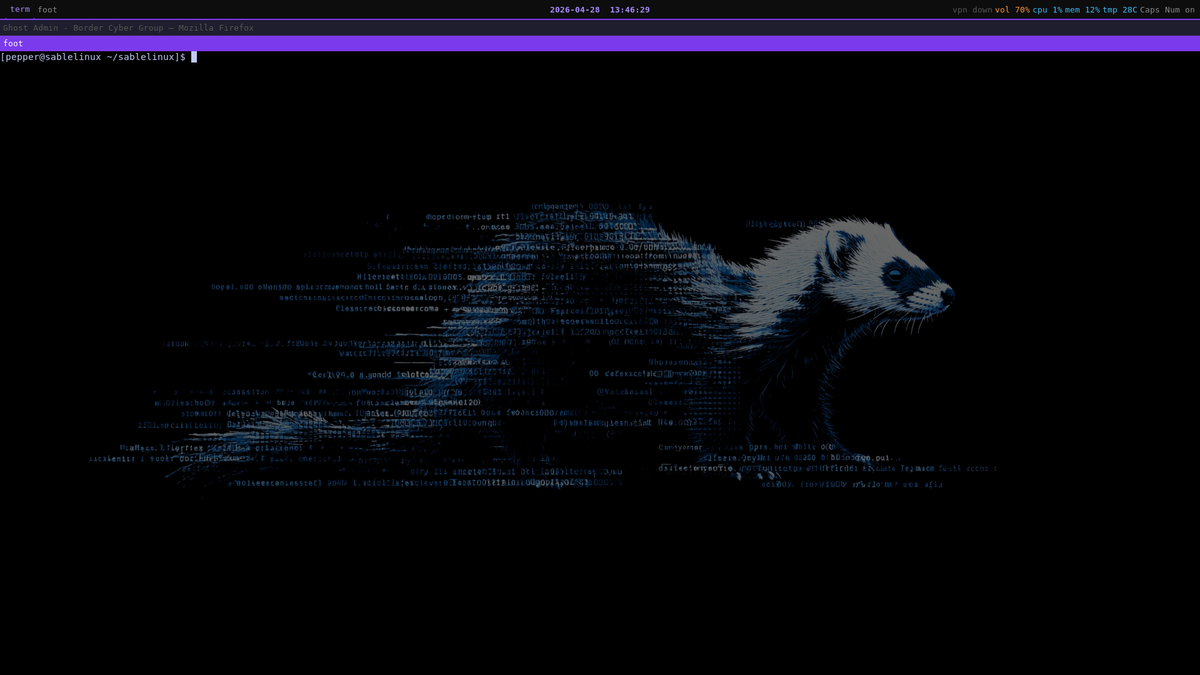
The desktop environment is Sway 1.10, permanently. An earlier attempt at KDE Plasma ended in a documented failure that now lives in the BUILDLOG as a cautionary appendix. Sway on Wayland, foot terminal, tmux, waybar with a dark purple theme. Minimal, composable, fast.
Current System State
As of today, SableLinux is a fully operational primary development machine. It boots from NVMe into Sway. Firefox runs with full audio via PipeWire. WireGuard VPN tunnels to a Linode exit node in São Paulo. QEMU/KVM is built and running with five VM disk images available — Windows, Kali, BlackArch, Ubuntu, Alpine.
The security and penetration testing stack is substantially complete. libpcap, tcpdump, nmap, Wireshark (tshark CLI), Metasploit 6.4, sqlmap, ffuf, gobuster, nikto, socat, masscan, aircrack-ng, hcxdumptool, hcxtools, hashcat. For binary analysis and reverse engineering: gdb with pwndbg, pwntools, ROPgadget, radare2, binwalk, Ghidra 11.3.1. The RE GUI stack is pending stable XWayland integration, but headless Ghidra works cleanly.
The AI inference stack is what we want to focus on in this post, because it represents a significant capability milestone and because the security work we did around it this week is directly relevant to anyone running local LLM inference on a security-focused machine.
The Local Inference Stack
ROCm on RDNA4 was a long-fought battle. A full TheRock source build — AMD's unified ROCm build system — hit out-of-memory errors on 32GB RAM during the amd-llvm compilation phase regardless of job count. The OOM killer terminated the build every time. So we took an alternative approach: extract ROCm 7.2.2 directly from AMD's official Ubuntu 24.04 .deb packages using dpkg-deb, fix the RPATHs with patchelf, and drop the result into /opt/rocm-7.2.2. This works cleanly because SableLinux's glibc is newer than Ubuntu 24.04's, so forward-compatibility runs in our favor.
llama.cpp was then built from source with the HIP backend targeting gfx1201. One non-obvious wrinkle: rocm_agent_enumerator misreports the RX 9070 XT as gfx1200 rather than gfx1201. The fix is an environment variable — HSA_OVERRIDE_GFX_VERSION=12.0.1 — set in the systemd service unit. With that in place, the GPU is correctly targeted and inference runs on hardware.
The model stack is two GGUF files in /opt/models/: DeepSeek-R1-Distill-Qwen-14B quantized at Q4_K_M, and Llama-3.2-1B-Instruct at the same quantization. The 14B DeepSeek model is the workhorse. It runs as a persistent server via a systemd service unit (llama-server.service) that starts at boot and exposes a local completion API on port 8080.
Interaction happens through two interfaces. sable-ai is an interactive wrapper around llama-cli for quick local conversations. ds is a Python script that POSTs to the llama-server HTTP API and prints the response to stdout, with an optional --think flag that surfaces the model's reasoning chain before the final answer. Both are installed to /usr/local/bin.
This is a genuinely useful setup for a security research workflow. The model runs entirely on local hardware, no API keys, no network calls to external services, no data leaving the machine. It is air-gappable by design. DeepSeek-R1 in particular is strong on technical reasoning — useful for working through exploit chains, understanding assembly output, drafting security research notes.
The Problem We Found
Local inference being air-gapped does not automatically mean it leaves no trace on your own machine. That distinction matters more on a security research workstation than it does almost anywhere else, because the queries you send to a local model may themselves be sensitive — reconnaissance notes, target information, analysis of captured traffic, descriptions of vulnerabilities being researched.
The trigger for today's audit was a straightforward question: where, exactly, does a ds query go, and does any of it persist anywhere beyond the terminal where it was typed?
We worked through every surface methodically.
The ds script itself was the first thing to audit. Reading the source confirmed it is a clean pass-through — it constructs a JSON payload, POSTs it to localhost:8080/v1/chat/completions, and prints the response content to stdout. No tee. No log file writes. No side-channel output. The script is not the problem.
Shell history was the first real finding. HISTCONTROL was unset on SableLinux. On a fresh LFS bash install, this is the default — there is no distro-provided /etc/bash.bashrc setting it for you. With HISTCONTROL unset, every ds "..." invocation is recorded verbatim in ~/.bash_history with the full query string, deduplicated by nothing, suppressed by nothing. Every sensitive query typed at the terminal was sitting in that file.
The second surface was the systemd journal. llama-server.service is a proper systemd unit — which means its stdout and stderr are not going to /dev/null. They are going to the journald collection socket at /run/systemd/journal/stdout. We confirmed this by reading /proc/443/fd/1 and /proc/443/fd/2, both symlinked to socket:[13423], and by tracing the parent PID back to PID 1. The journal was capturing llama-server's output.
The critical question was what llama-server actually logs at default verbosity. A scan of the journal output showed: slot activity, token counts, timing data, cache state, and POST request confirmations with IP and status code. What it does not log at default verbosity is request body content — the prompt text itself is not written to the journal. The journal metadata is worth vacuuming on principle, but there was no content exposure through this surface.
The third finding was more operationally serious than a logging concern: llama-server was bound to 0.0.0.0 rather than 127.0.0.1. This was the configuration in the service unit from initial setup. It means the inference endpoint was reachable from the entire LAN — any machine on the local network segment could POST arbitrary prompts to the model and receive responses. On a security research machine, that is not acceptable. The fix is a one-character flag change, but it needs to actually be made.
The fourth surface — Wayland clipboards — was audited separately. SableLinux runs pure Wayland under Sway with no XWayland active during this session. The Wayland compositor maintains two independent selection buffers: the regular clipboard (Ctrl+C/V) and the primary selection (highlighted text, middle-click paste). No clipboard manager is running — no cliphist, no clipman, no greenclip — so there is no history ring file on disk. But whatever is currently in those buffers from prior terminal activity is there until it is explicitly cleared.
The Remediation
We built two scripts and applied three configuration changes.
wipe-cp.sh handles the Wayland clipboard surfaces. For each of the two selection types (clipboard and primary), it writes random base64-encoded noise via wl-copy before issuing wl-copy --clear. The overwrite step matters because --clear tells the Wayland compositor to release the selection, but whether the compositor zeroes the underlying memory region is implementation-defined. Overwriting first makes that irrelevant regardless of compositor behavior. Since XWayland is not active, there is no X11 PRIMARY/CLIPBOARD/SECONDARY triple to additionally handle.
wipe-ds.sh covers the remaining surfaces. It truncates ~/.bash_history to zero bytes and runs history -c to clear the in-memory history of the current session. It then runs journalctl --vacuum-time=1s --unit=llama-server.service to purge the journal records for that unit. Both scripts are now committed to sablelinux/docs/ in the repository.
The shell configuration fix adds two lines to ~/.bashrc:
HISTCONTROL=ignoreboth:erasedups
HISTIGNORE="ds *:ds"
ignoreboth combines ignorespace (commands prefixed with a space are not recorded) and ignoredups (consecutive duplicate commands are not recorded). erasedups goes further and removes all previous occurrences of a command from the history before recording it. HISTIGNORE with the ds * pattern ensures that any invocation of the ds tool — regardless of what query follows — is never written to history at all. This is the permanent fix. The wipe scripts handle the existing accumulation; the HISTIGNORE entry prevents future accumulation.
The llama-server service unit was edited to change --host 0.0.0.0 to --host 127.0.0.1. The unit was reloaded and the service restarted. The inference endpoint is now localhost-only. This does not affect the ds workflow at all since ds posts to http://localhost:8080 — it only eliminates the LAN exposure.
One final surface worth noting: the llama-server prompt cache. As visible in the journal output, llama-server maintains an in-memory KV cache of recent prompt token sequences, approximately 1.1GB across ten cached prompts at the time of audit. This is volatile — it does not survive a service restart — but it does mean that recent prompt content exists in RAM in tokenized form while the server is running. Clearing it without a full restart is possible via the API endpoint POST /slots/{id}?action=erase for each slot, but a service restart achieves the same result more cleanly.
Why This Matters for Security Research Workflows
The threat model here is specific. We are not worried about DeepSeek the company receiving our prompts — local llama.cpp inference has no network path to external servers; that is the whole point. The concern is local persistence of sensitive operational data on a machine that, as a security research workstation, may itself be a target, may be subject to forensic examination in certain contexts, or may simply be accessed by people who should not see the contents of a researcher's working notes.
A security researcher using local LLM inference to work through engagements, analyze captured traffic, or reason about vulnerabilities is generating a query log that is as sensitive as the work itself. Treating that log with the same hygiene discipline as any other sensitive artifact on the machine is not paranoia — it is operational security applied consistently.
The tools and configurations described here are not exotic. They are bash history settings, a two-script wipe procedure, and a single flag change in a systemd unit. The value is in doing the audit systematically rather than assuming that "local" means "no trace."
What Is Next
The immediate next priority for SableLinux is XWayland integration, which unlocks Ghidra's GUI, Burp Suite, and Wine. After that, the proprietary tooling layer begins in earnest: a compliance-aware OSINT agent built on LangGraph and the Anthropic API, a system intelligence tool for CVE and package version tracking on source-built systems, and the AI-assisted penetration testing report writing layer that represents the core commercial proposition of the platform.
The ISO build pipeline is designed and documented. When the package stack reaches a stable milestone, the build process moves into live environment construction — squashfs, overlayfs, a custom initramfs, and a shell-based installer targeting both LUKS-encrypted and unencrypted deployments.
SableLinux is a slow build done correctly. Every package understood, every configuration deliberate, every security property owned rather than inherited. Today's work is a good example of what that looks like in practice.
SableLinux™ is developed by Border Cyber Group. Development logs, build scripts, and architecture documentation are maintained at github.com/black-vajra/sablelinux on the development branch.
Jonathan Brown writes about cybersecurity infrastructure, privacy systems, the politics of AI development and many other topics at bordercybergroup.com and aetheriumarcana.org. Border Cyber Group maintains a cybersecurity resource portal at borderelliptic.com
If you wish to support our work, feel free to buy us a coffee! https://bordercybergroup.com/#/portal/support
Member discussion: